How to Find & View Store Credit BalanceUpdated 8 months ago
If you’ve received store credit on your SL Raw Virgin Hair account, you can easily locate your balance and apply it at checkout once you’re signed in. Follow the steps below.
Step 1: Sign Into Your Account
You must be logged into your customer account using the same email address that was used on your order.
- Go to the SL Raw Virgin Hair website.
- Click the account / profile icon.
- Enter your email and password.
- If you don’t have a password, click “Forgot Password” to create one.
Step 2: Locate Your Store Credit Balance
Once signed in:
- Click your Profile / Account tab.
- Scroll to the bottom of the page.
- Your Store Credit balance will appear under Payment Methods.
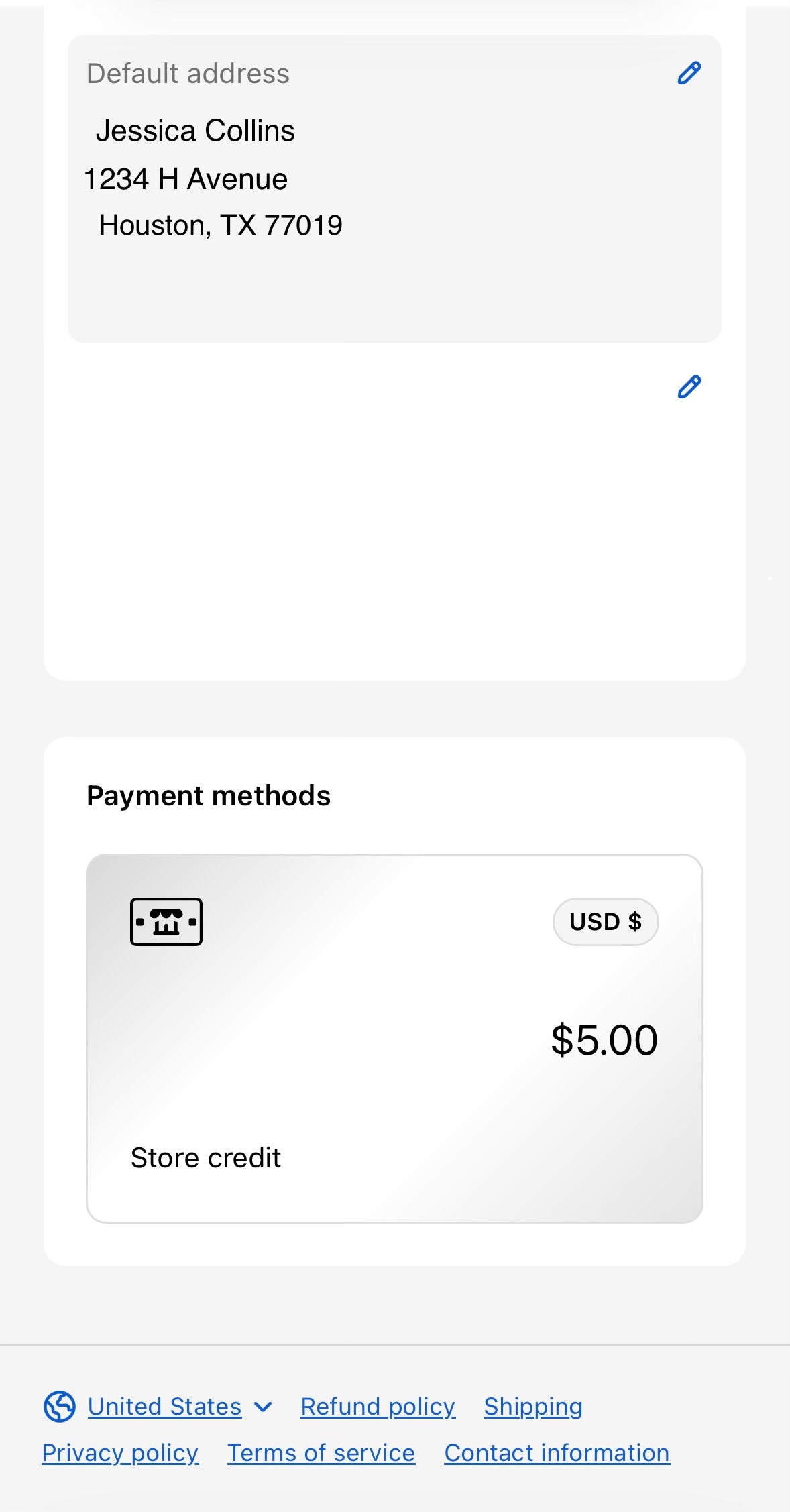 Account Profile Showing Store Credit Balance
Step 3: Apply Store Credit at Checkout
To use your store credit on an order:
- Add items to your cart.
- Proceed to checkout.
- Stay logged into your account.
- On the Payment step, check the box labeled “Apply store credit.”
- Your available credit will automatically apply.
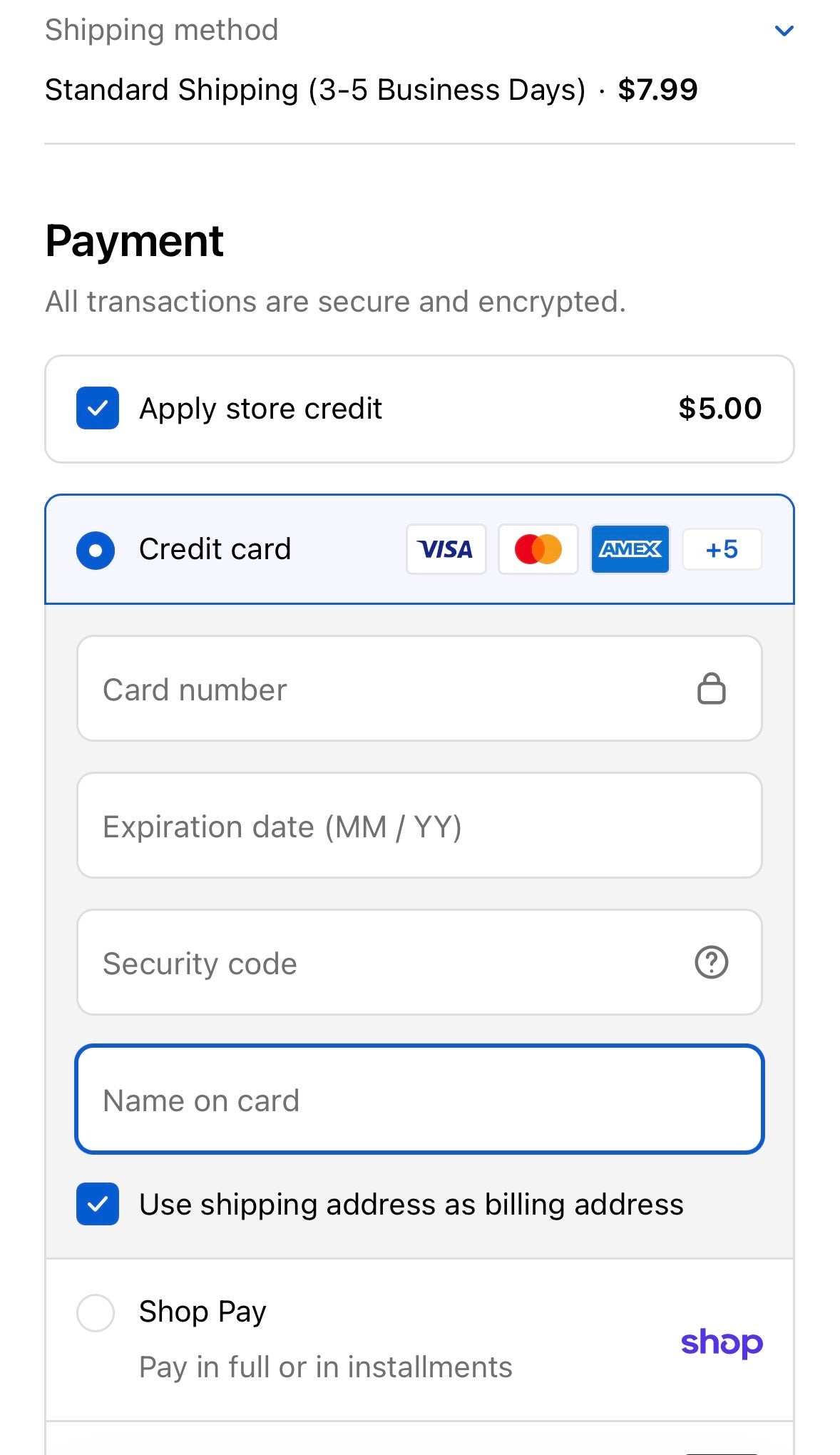 Checkout Payment Screen with “Apply store credit” checked
Important Notes
- Store credit only appears when you are logged in.
- Store credit cannot be applied if checking out as a guest.
- If you don’t see your credit, confirm you’re using the correct email address.
Need Additional Help?
If you’re unable to locate or use your store credit, please contact our support team, and we’ll be happy to assist:
Email: [email protected]